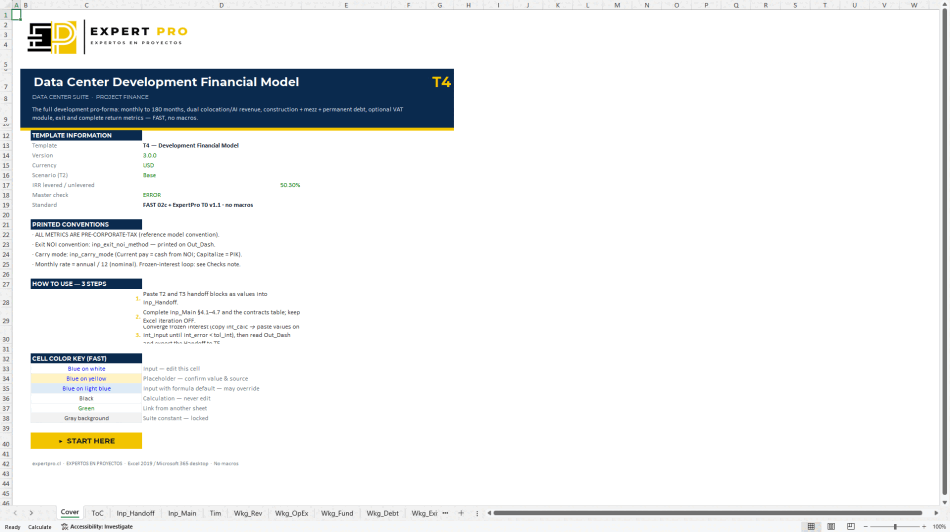
Base contract prices
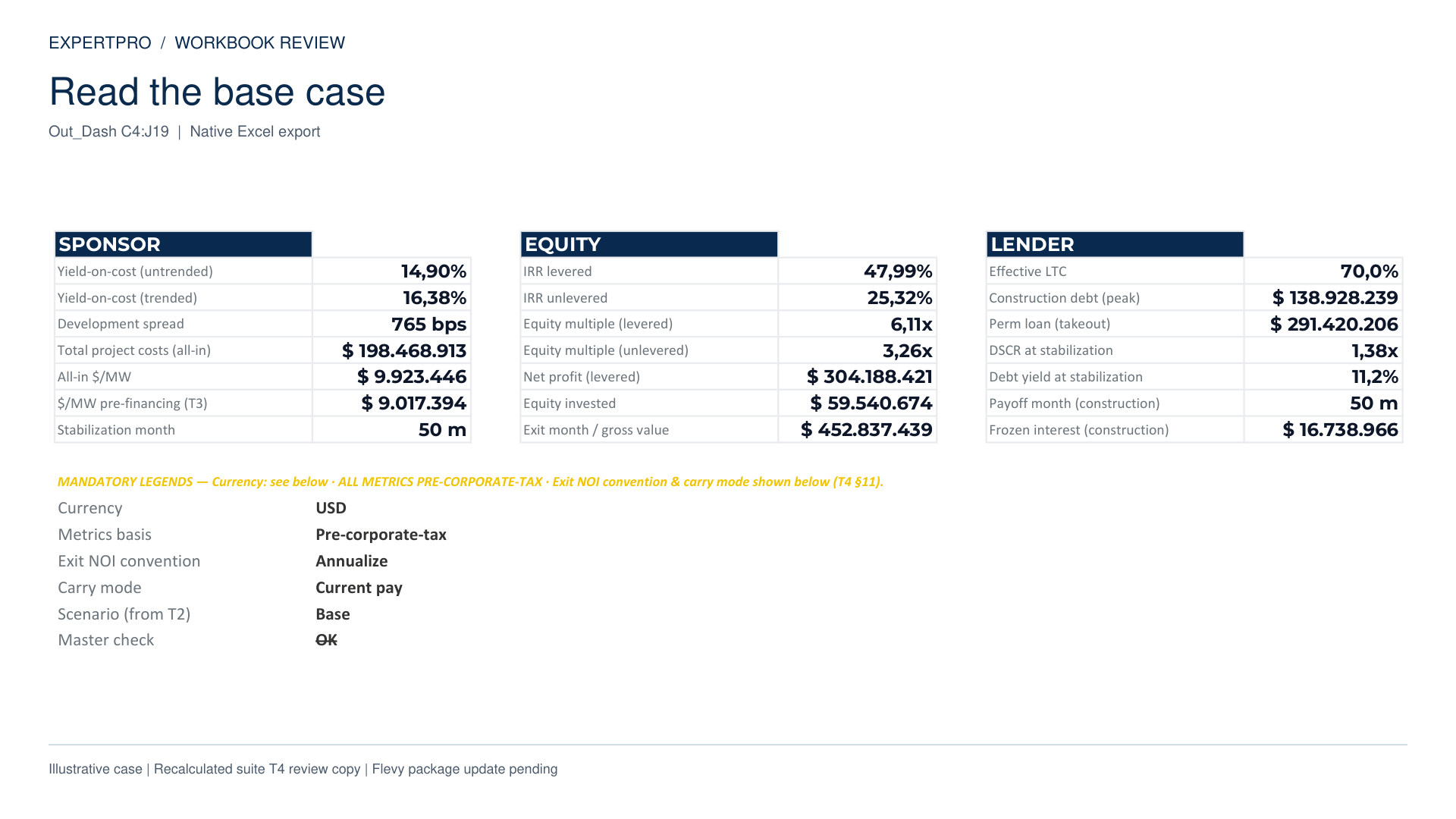
- Levered IRR
- 47.99%
- Unlevered IRR
- 25.32%
- Master check
- OK
 Enlarge the actual dashboard ↗
 ExpertPro
Explore the assumptions, cash-flow structure and checks in the T4 suite workbook. Start with the three-step walkthrough, then watch the full tour or download the input checklist.
Explore three parts of the actual workbook. Each view explains what to enter, what to read and what to check.
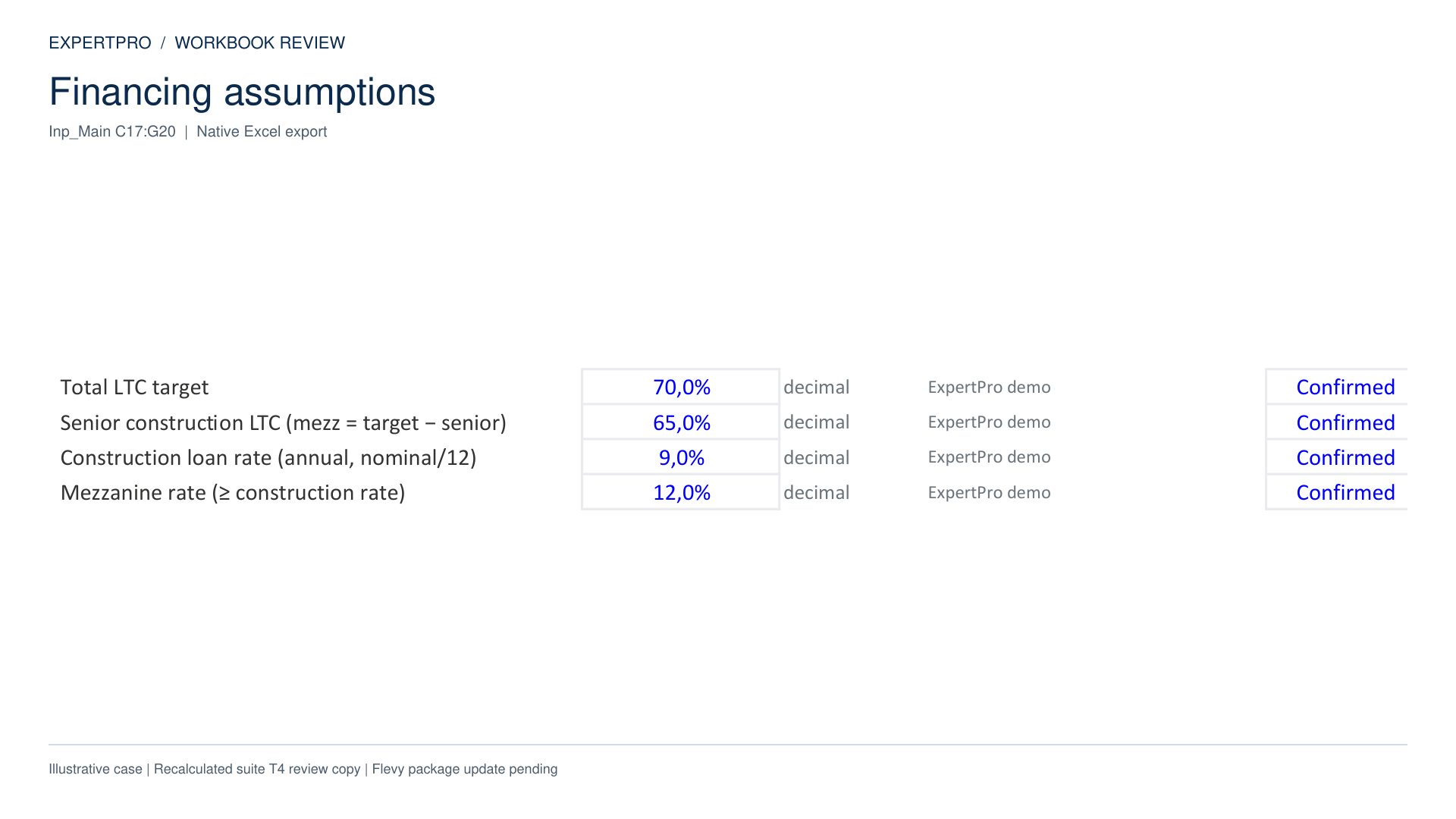
This view shows the loan-to-cost targets and financing rates used by the illustrative case.
The workbook uses those assumptions in its funding and cash-flow calculations.
Suite T4 v3.0 · Illustrative case. Follow the documented calculation steps and review the model checks. The standalone package has its own input adapter and instructions.
Two recorded runs of the same illustrative case in desktop Excel. Contract prices fall by 10%; the other business inputs stay the same.
Enlarge the actual dashboard ↗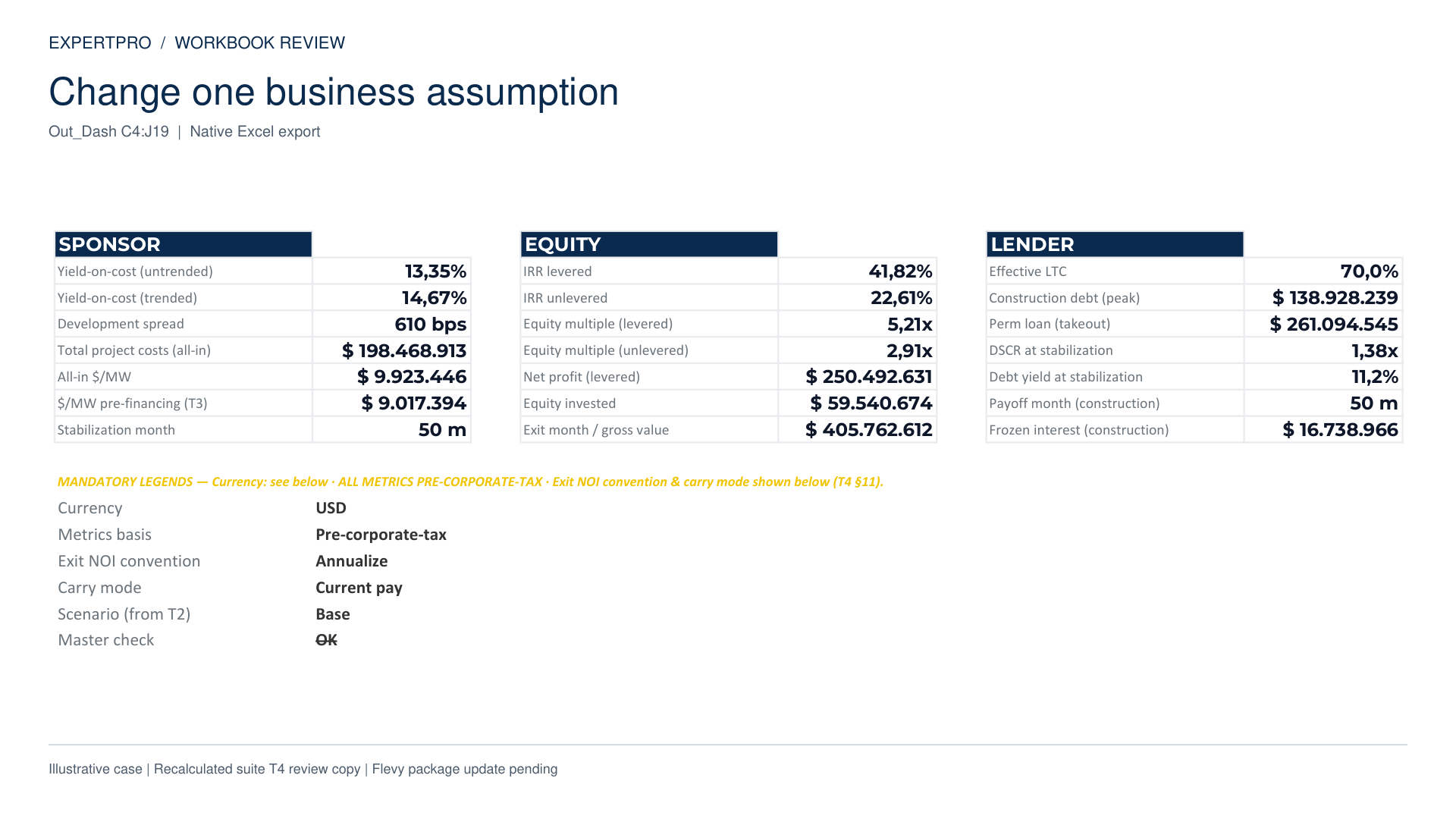 Enlarge the actual dashboard ↗
These are illustrative model outputs, not forecast returns. Both runs completed native calculation and reported an OK master check. Restoring the original prices reproduced the base outputs.
This example uses the suite T4 v3.0 workbook. It compares the base contract prices with a 10% reduction while keeping the other business inputs unchanged. Values are illustrative and before corporate income tax; they are not forecasts or promised returns.
Follow the documented interest-update procedure and read the Checks sheet alongside the dashboard. The standalone package has its own input adapter and instructions. Choose the package that matches the inputs and workflow you need.
A captioned presentation of native Excel exports from the T4 suite workbook. The video presents an illustrative case calculated in desktop Excel, with values before corporate income tax. The standalone package includes its own input adapter and instructions.
A two-page reference covering assumptions, sources, model requirements and the first-run sequence.
PDF · 2 pages · No email required
Record the project start, contract terms, capacity and recurring costs relevant to the model.
Use the suite handoffs or the standalone package instructions for the capacity, energy-cost and CapEx series.
Keep the sources, units and dates behind the inputs visible.
Work on a copy, refresh the interest inputs and inspect the checks before using outputs.
Use these chapters with the downloadable checklist and the manual supplied with your package.
Set the loan-to-cost targets and financing rates. Keep the source and status of each input visible.
Read operating income, capital expenditure and investor cash flows together. These figures belong to an illustrative case.
The illustrative base case shows a base-case levered IRR of 47.99 percent, before corporate income tax. This is an illustrative model output, not a forecast or promised return.
Reducing contract prices by 10 percent lowers levered IRR to 41.82 percent. Other business inputs remain unchanged. Recalculation completes and the master check reports OK.
All 22 controls report OK in the reviewed base case. The original prices were restored and reproduced the initial outputs.
Compare the sensitivity results with your case assumptions and follow the documented calculation steps. The final model packages are available on Flevy; choose the standalone model or the five-model suite for your workflow.